How to Register for Easy Wallet App
Created on July 07, 2025 02:31:11
Step 1
Details/No Actions
Note: This APP doesn't have an English version. I'll tell you how to navigate it in Chinese and provide some basic translations and pinyin. All of these steps have screenshots below them.
This guide will tell you how to download and register your Easy Wallet account. This APP is basically just a digital version of the easy card.
The benefits to using it are that you can tie it to your bank account and load money to it directly. No need for machines at the MRT or going to a local convenient store. You can load it on the fly, which is what I often do on the way to MRT or even when I'm already on the MRT going somewhere and my account is about to be in the red.
I made another guide about how to tie your bank account and transfer money to your wallet:
https://www.howtotaiwan.org/guides/how-to-link-bank-account-to-easy-wallet-and-load-money
Or you can do an ATM money transfer:
https://www.howtotaiwan.org/guides/how-to-load-easy-wallet-using-bank-transfer
Here you can find a very simple guide about how to pay using the Easy Wallet APP:
https://www.howtotaiwan.org/guides/how-to-pay-with-easy-wallet-app
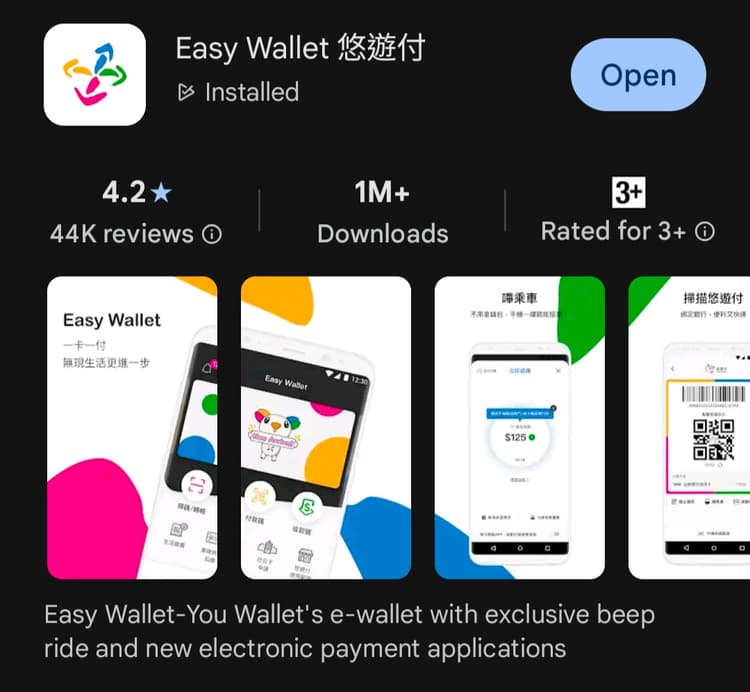
Download the app by just searching Easy Wallet (used to be only available for andriod but now is also on Apple iOS).
Step 2
Actions
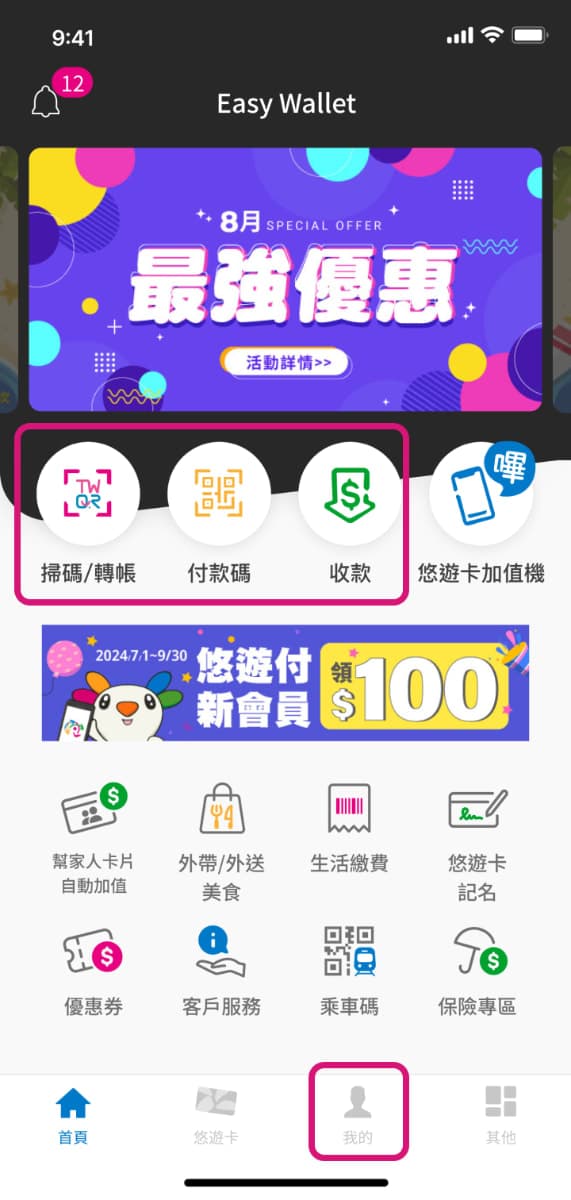
First, click on the person icon at the bottom.
I got all of these screen shots from the following site, but it's all in Chinese. You can view it by clicking the link below.
https://easywallet.easycard.com.tw/tutorial/step?cls=100000000
Step 3
Actions
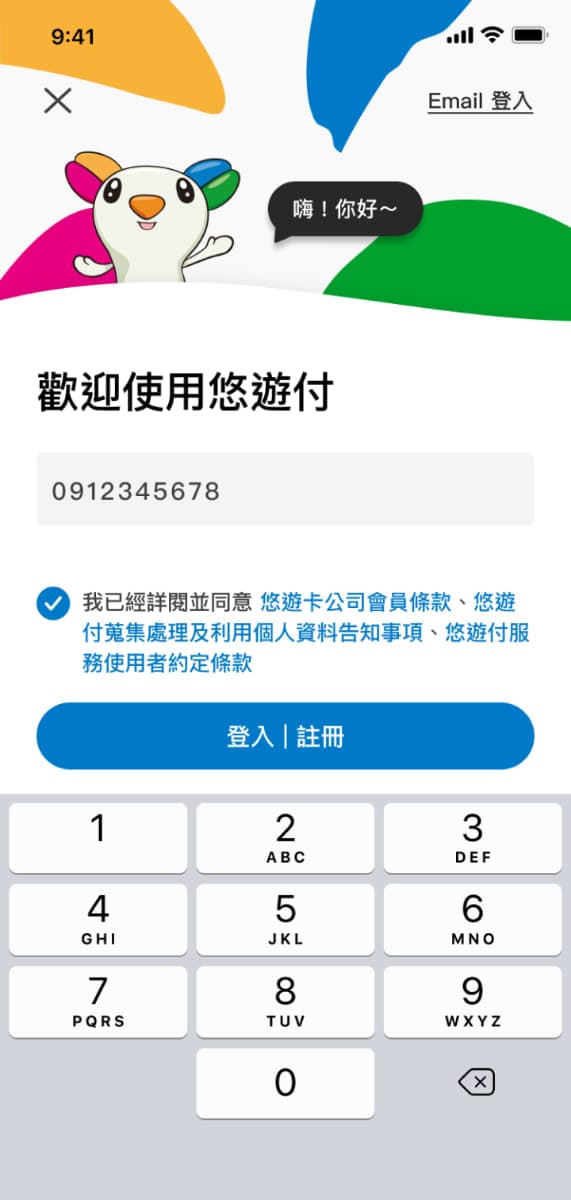
Next enter your phone number. It doesn't even say phone number in the Chinese on this screen shot, but it should be obvious with the keypad being there.
Then click 登入/注冊 dēng rù/zhù cè
which means login/register
Step 4
Actions
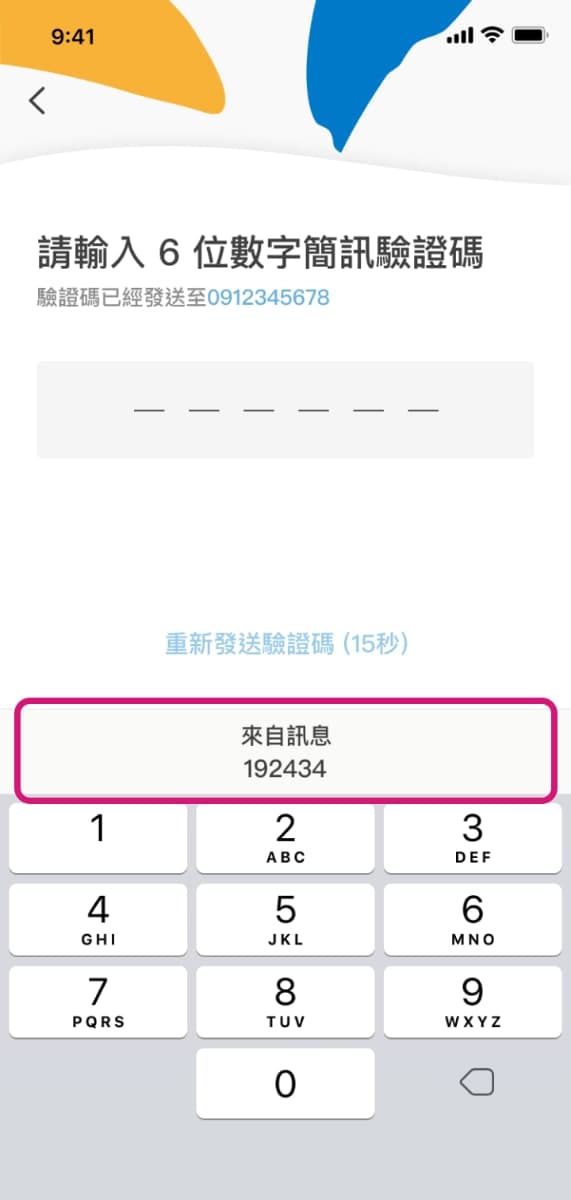
You will be sent a 6 digit verification code via text message, and then you enter it in here.
Step 5
Actions
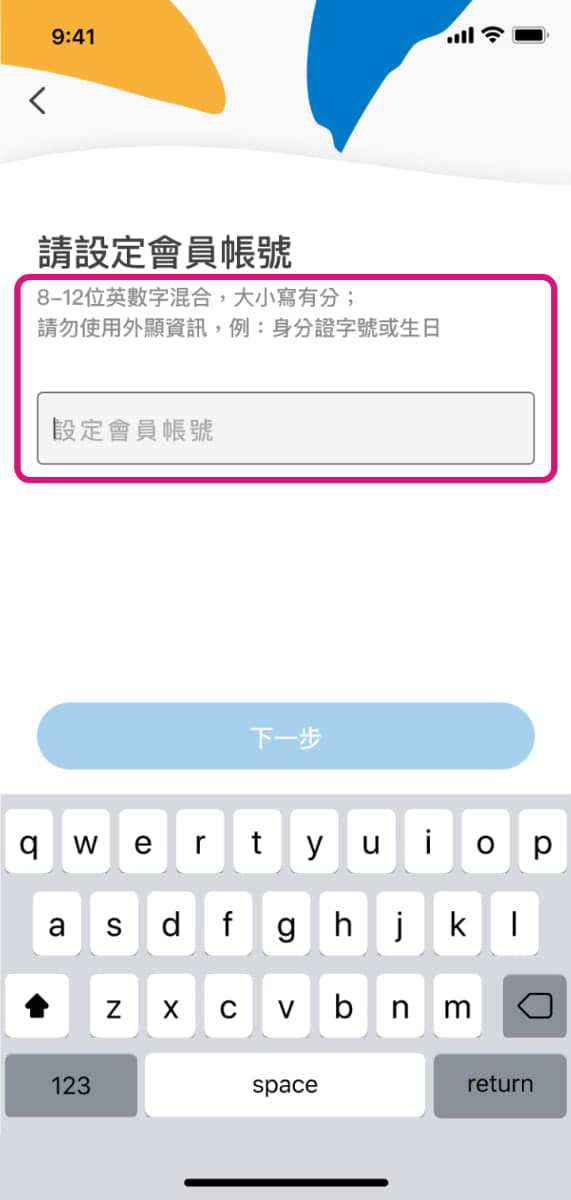
After being verified, the next screen will ask you for
會員賬號 huì yuán zhàng hào
which means ID
So you choose an ID that you'll remember (like your name in all lowercase) and then press 下一步 xià yī bù, next step.
Step 6
Actions
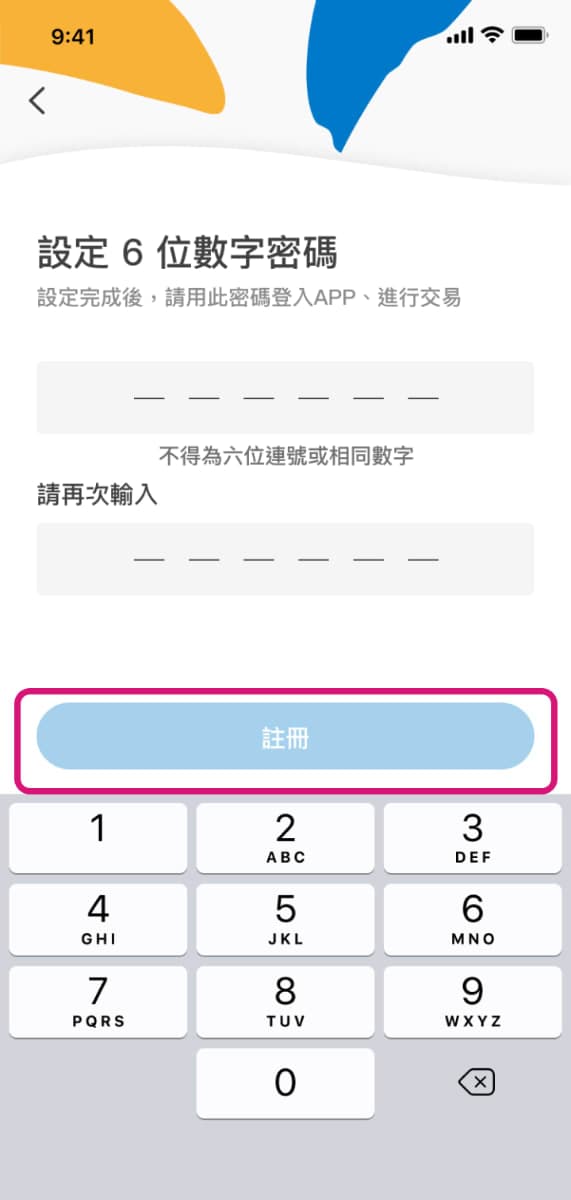
Then you enter a 6 digit pin number of your choosing.
They call it a 6位字密碼 liù wèi zì mì mǎ, which means 6 digit password, but unlike other passwords it is just numbers (as indicated below on the keypad).
You enter it twice to verify you remember it. Remember it because that's how you login to your account.
Then you press 注冊 zhù cè, which again means register.
Step 7
Actions
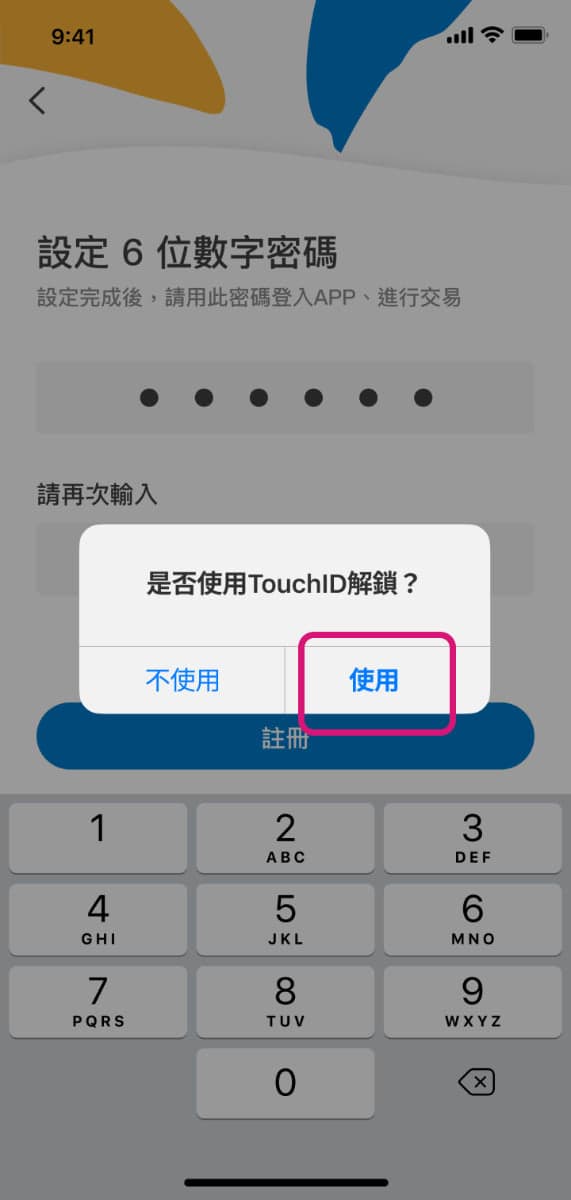
The next pop-up prompt asks if you want to use a biometric touch ID for login. You decide if you want to use it. It'll come in handy when you are opening the app in a hurry to get on or off public transportation and there are many people behind you in a rush.
There is a certain amount of time that you'll be logged in and then you'll be auto-logged out, I assume for security reasons.
Step 8
Actions
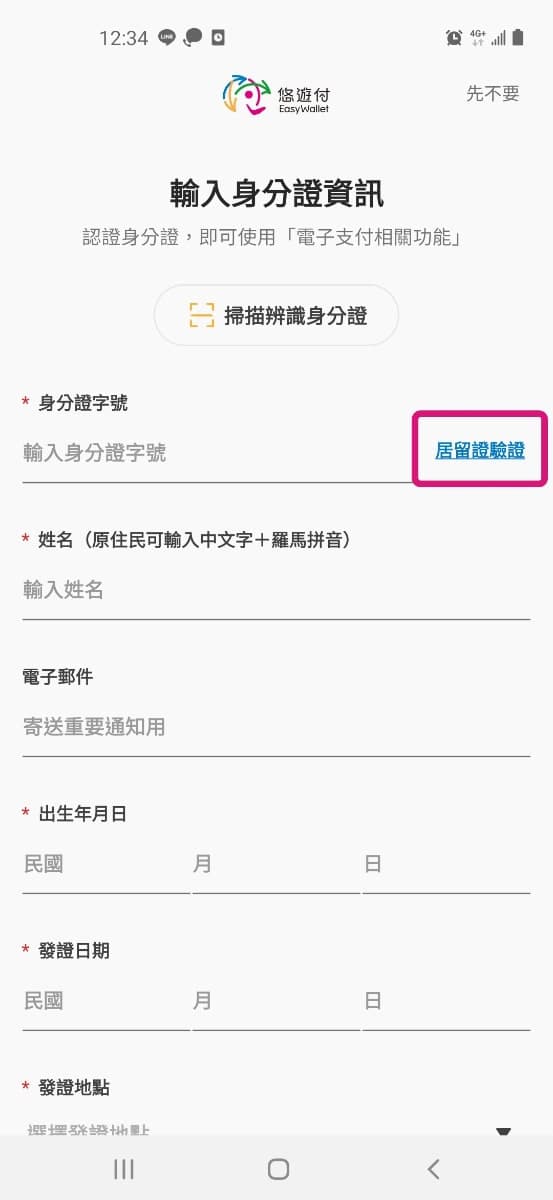
The next screen you'll be prompted to will ask you for identification information, but it is for Taiwanese citizens because only Taiwanese citizens have a 身份證 shēn fèn zhèng.
So you'll need to click the button on the top right that is in the highlighted box, which says 居留證驗證 jū liú zhèng yàn zhèng.
Step 9
Actions
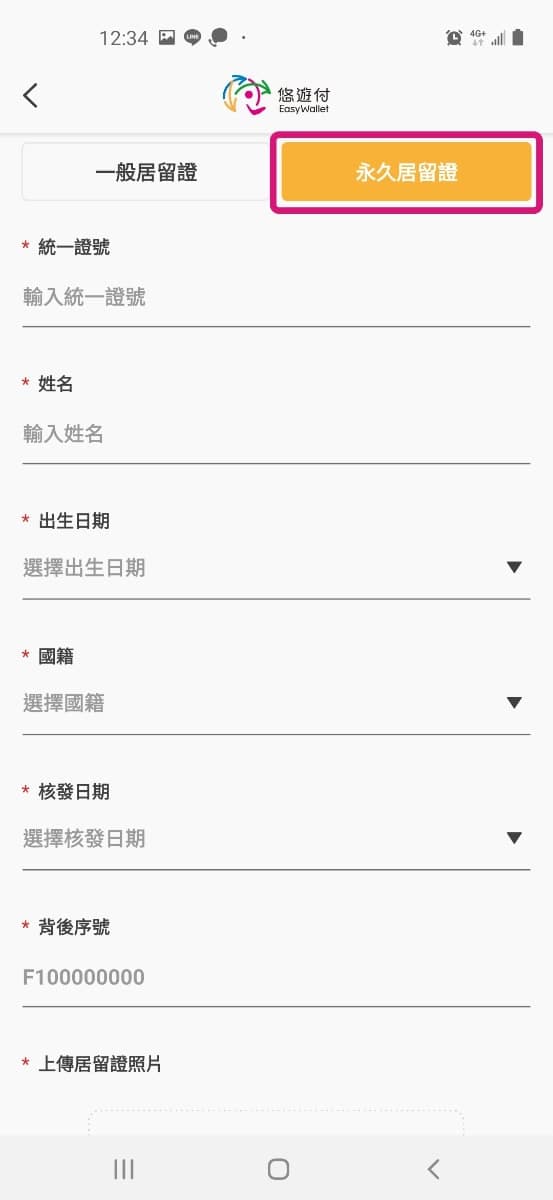
一般居留證 yī bān jū liú zhèng, which is on the top left is just a normal working ARC card, and 永久居留證 yǒng jiǔ jū liú zhèng is a permanent resident APRC card. You choose whichever applies to you.
I think the info isn't very different, so let's suppose you have an APRC.
First enter your APRC ID number which here is stated as your 統一證號 tǒng yī zhèng hào.
Then your 姓名 xìng míng, which means full name. The format for English and Chinese is last name first then your first and middle name if you have one. If you have a Chinese name, enter it.
Next is your 出生日期 chū shēng rì qī, which means date of birth. I think it's year first? But anyways, the dropdown should make it very obvious. Been a while since I've done it.
Next 國籍 guó jí - means your citizenship.
Next 核發日期 hé fā rì qī - means date of issue
Next 背後序號 bèi hòu xù hào - is the serial number on the back, which may have also been your previous ARC number if you've been in Taiwan a while, like it is in my case.
Then you scroll down for more.
Step 10
Details/No Actions
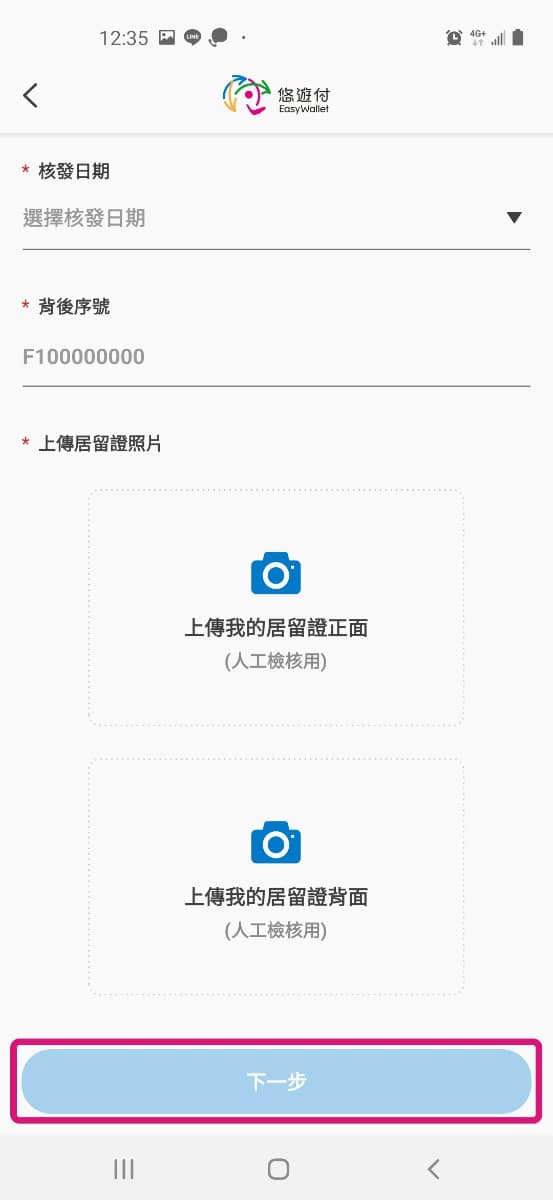
After scrolling down to the bottom, you'll see the following screen (see below).
You'll need to click each of those image upload buttons to upload or take a picture of your APRC or ARC card.
The first one says 上轉我的居留證 正面 shàng zhuǎn wǒ de jū liú zhèng - zhèng miàn, which means upload the front of your ARC card
and the second says 上轉我的居留證 背面 shàng zhuǎn wǒ de jū liú zhèng - bèi miàn, which means upload the back of your ARC card.
After uploading, press 下一步 xià yī bù, next step
Step 11
Details/No Actions
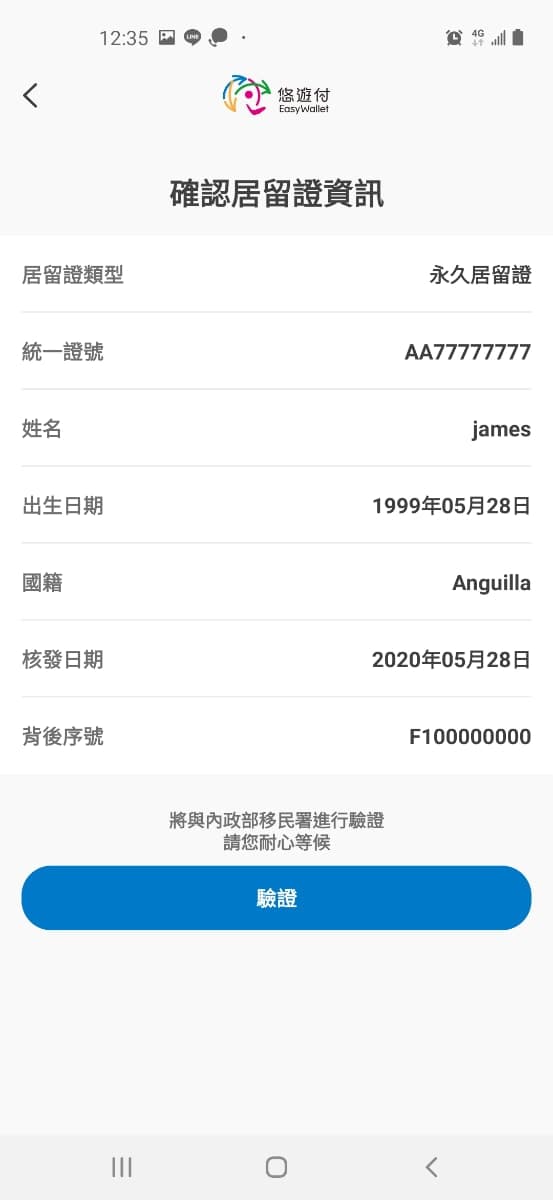
Here is a sample of what the next page might look like if your name is just "james" from Anguilla.
Make sure all the info is correct. If not, click the back arrow and correct it until it is.
Then click 驗證 yàn zhèng, which means verify.
Step 12
Details/No Actions
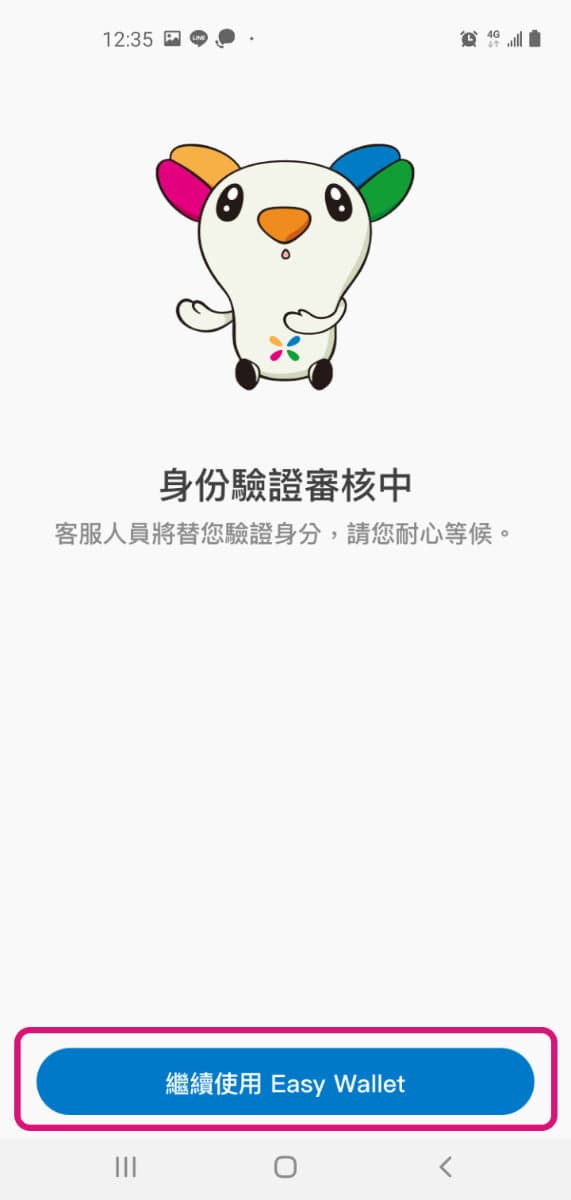
This next screen says that your verfication is under review (身份驗證審核中 shēn fèn yàn zhèng shěn hé zhōng).
You'll probably need to wait about 3 business days, but the official site says up to 14 days.
Then you push 繼續使用 jì xù shǐ yòng - to "continue using the APP".
If you push it before the verification review is completed, you'll probably get some message that says you need to wait. I don't remember what it looks like because I haven't done it in a while.
Be patient and eventually you'll be able to continue using the APP.
Step 13
Follow Up Actions
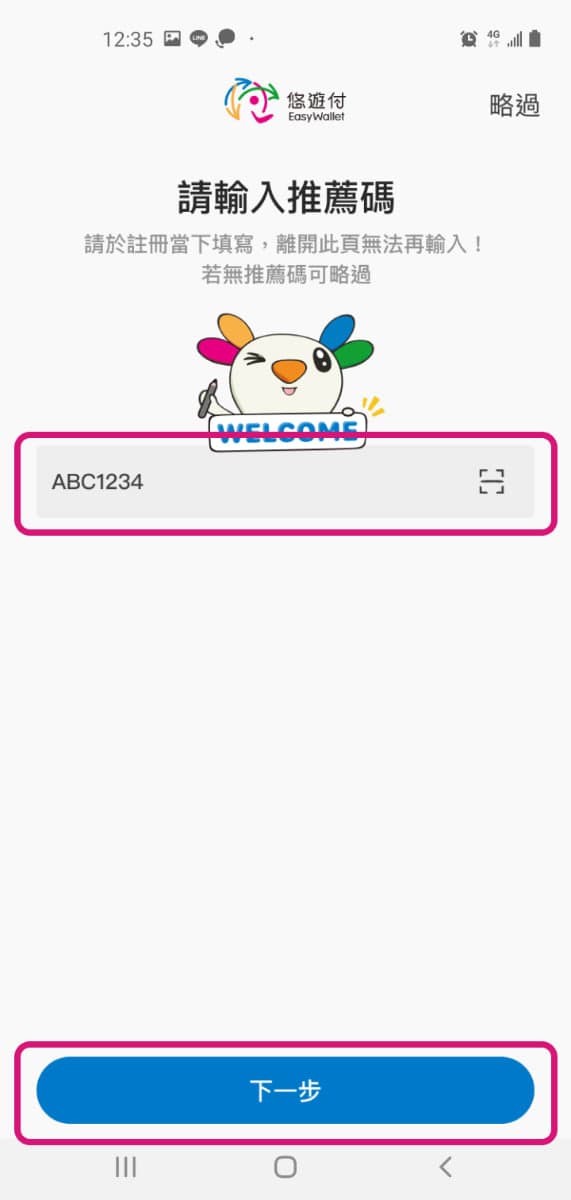
I'm not sure if it's after or before the verification, but you may be prompted with the screen below to fill in a 推薦嗎 tuī jiàn ma, which means promo code (literally recommendation code)
You can copy and paste 悠游付推薦嗎 yōu yóu fù tuī jiàn
悠游付 yōu yóu fù - is the name of the APP, "Easy Wallet".
You can try whatever codes you find, but they all seem to have a validity period. If you don't have one, hit 略過 lüè guò, which means skip.
Step 14
Follow Up Actions
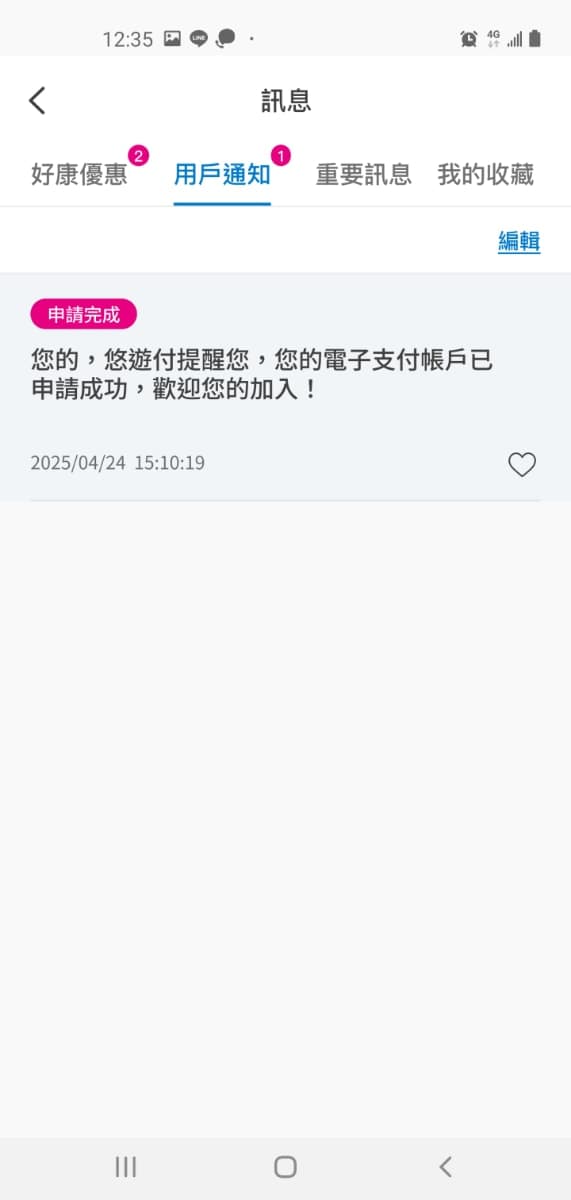
I read on their official website that you should receive this push notification within 14 days, but I don't think it will take that long.
I'm not going to translate everything in the screenshot below, but basically it says that you have become a member and can use Easy Wallet.
I seem to remember just going to the homescreen and clicking the person icon at the bottom and it saying 身份驗證審核中 shēn fèn yàn zhèng shěn hé zhōng for a few days, and then clicking 繼續使用 jì xù shǐ yòng and getting to use the APP.